Generate and Sign Contracts with Launchpad
Welcome to the final step of your bid negotiation process (confetti), let's make sure all those contracts are signed! Please follow these steps:
- Step 1: Complete your Billing Information
- Step 2: Review and Modify the Contract
- Step 3: Sign the Contract
- Step 4: Wait for the Contract to be Fully Executed
Step 1: Complete your Billing Information
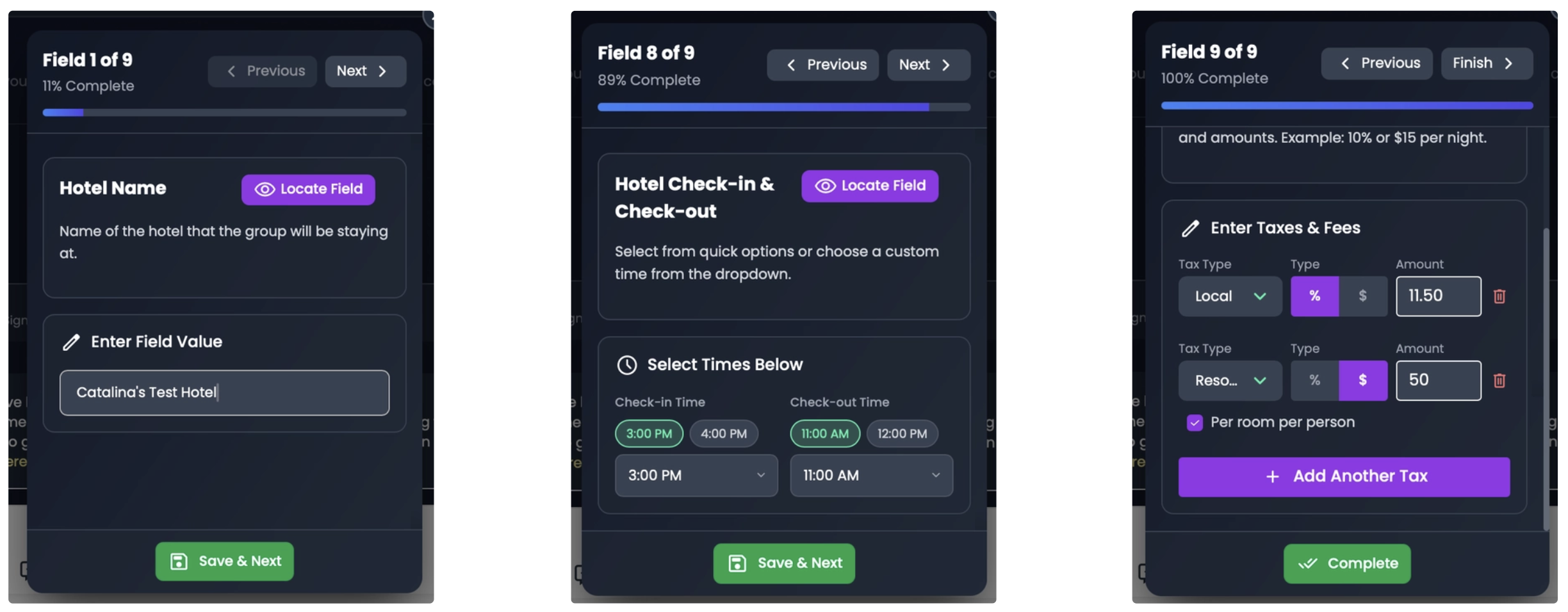
The first step in contact generation is to complete your billing information:
It’s super important that everything in this section is spot on—no typos or errors allowed! The Crew highly recommends triple-checking (trust us, experience is speaking here). Accuracy is key to keeping everything smooth!
Here are some tips:
- Use N/A or 0 for fields that do not apply.
- Telephone: Format the phone number with dashes, starting with the area code (e.g. 1-561-769-0394)
- Included: Mark breakfast or parking as "included" if provided in the rate.
- Other Fees: Note "Tax Included in Rate" if applicable
- Click SAVE when finished.
Step 2: Review and Modify the Contract
This is the step where you will make all necessary changes to the contract.
Changes will be shown with crossed-out text for removals, and new terms will be highlighted in green.
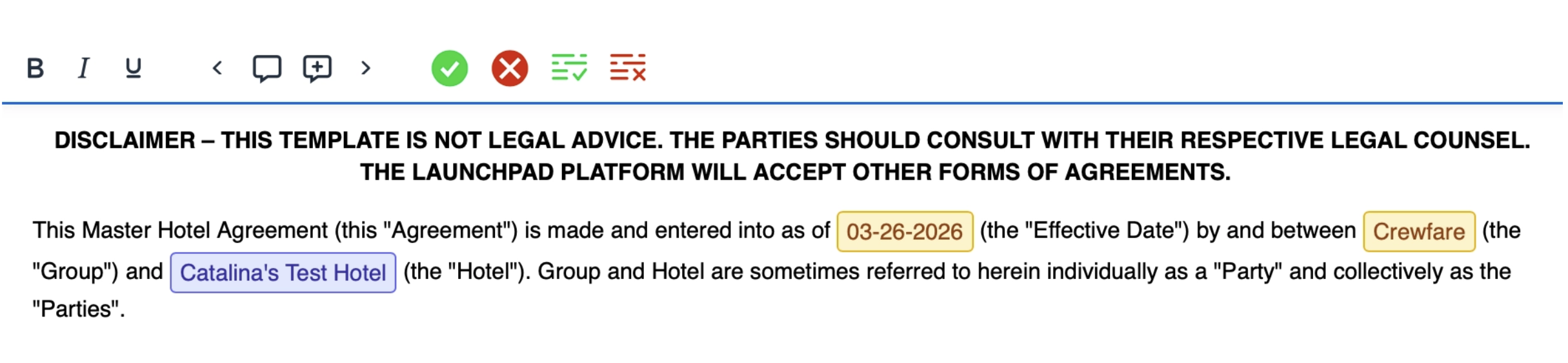
Make sure you click the "Save and Send for Review" button at the bottom of the contract to submit your updates! Otherwise, they will not be saved! 
Step 3: Sign the Contract
The last step is to sign the contract! To do so, simply use your trackpad, fill in the required fields, and hit the "Sign Contract" button.
Once you’ve completed it, get ready for a pop-up with confetti! That’s your confirmation that the contract is signed!
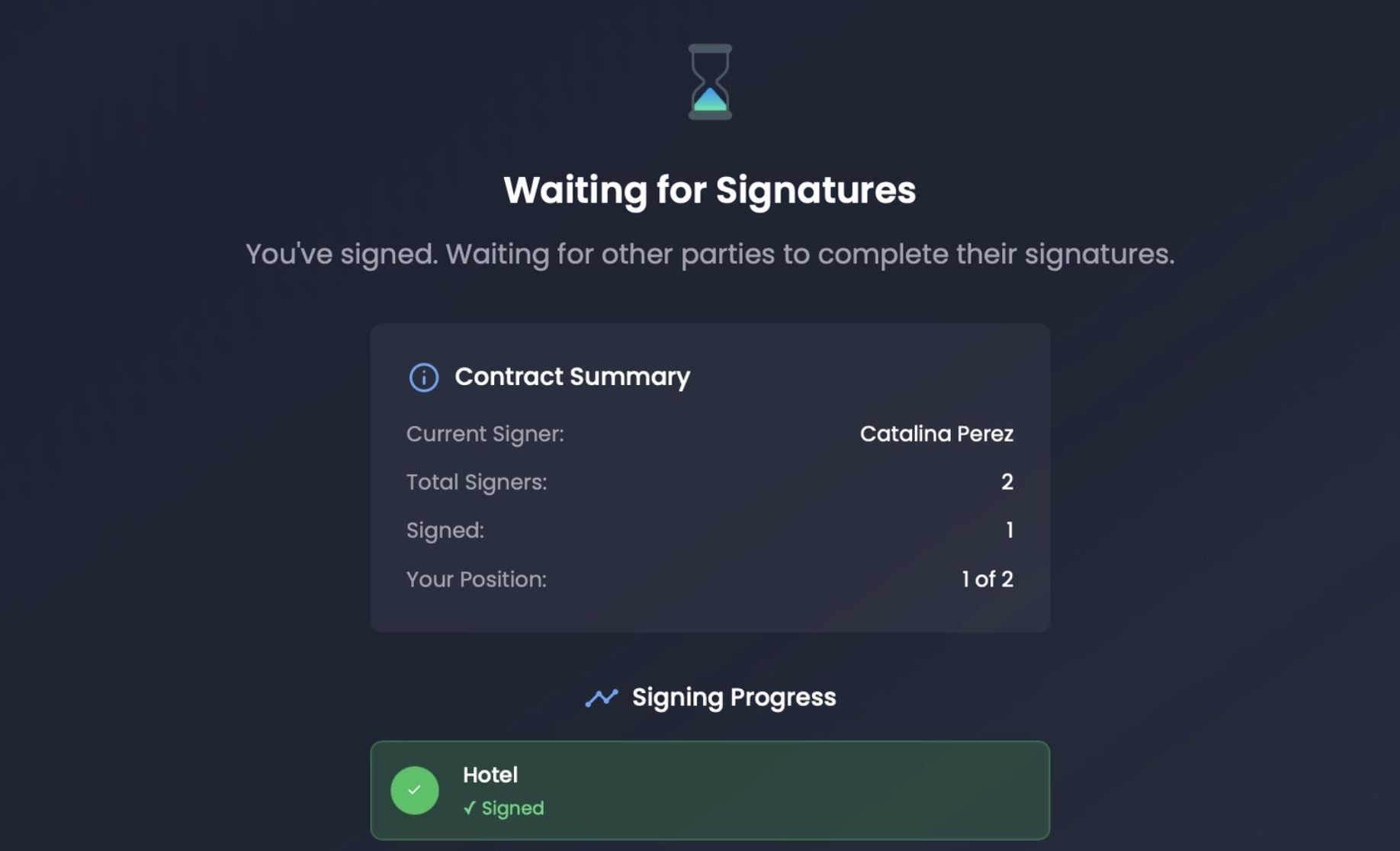
Step 4: Wait for the Contract to be Fully Executed
Hold on—there’s one more thing! You’ll still need to receive confirmation that the Travel Coordinator has signed the contract too. You’ll get that notification both via email and on the platform.
Once that’s done, your contract is fully executed! Now, you’re all set to get those rooms ready and start the fun!
NOTE: Please note that payments are processed outside of Launchpad, and they have to be coordinated between the hotel representative handling the bid negotiations and the travel coordiantors handling the RFP submission.
Was this article helpful?
That’s Great!
Thank you for your feedback
Sorry! We couldn't be helpful
Thank you for your feedback
Feedback sent
We appreciate your effort and will try to fix the article