A Walk Through Launchpad and its Features
New to Launchpad? This guide is for you!
No processes here—just a quick walkthrough of features and where to find key info. For process details, check out this folder.
We get it, learning new tools can be tiring, but Launchpad is SUPER easy. Let’s dive in!
Here are the main features you’ll find in the portal:
- RFP Dashboard
- Messages Section
- Files Section
Let's take a look at them one by one...
RFP DASHBOARD
RFP CATEGORIES:
On your RFP dashboard, you will be able to see your RFPs categorized for easy tracking. These are the different categories available:
- All RFPs: Every RFP assigned to your hotel(s).
- RFPs in Progress: Active proposals being negotiated or processed.
- Completed RFPs: Finalized RFPs with signed contracts.
- Declined RFPs: Proposals that were not accepted by either party.
If you are looking for an RFP in particular, you can use the search bar to locate a specific RFP or even a specific hotel you manage. If you handle multiple properties, this will allow you to prioritize bids! 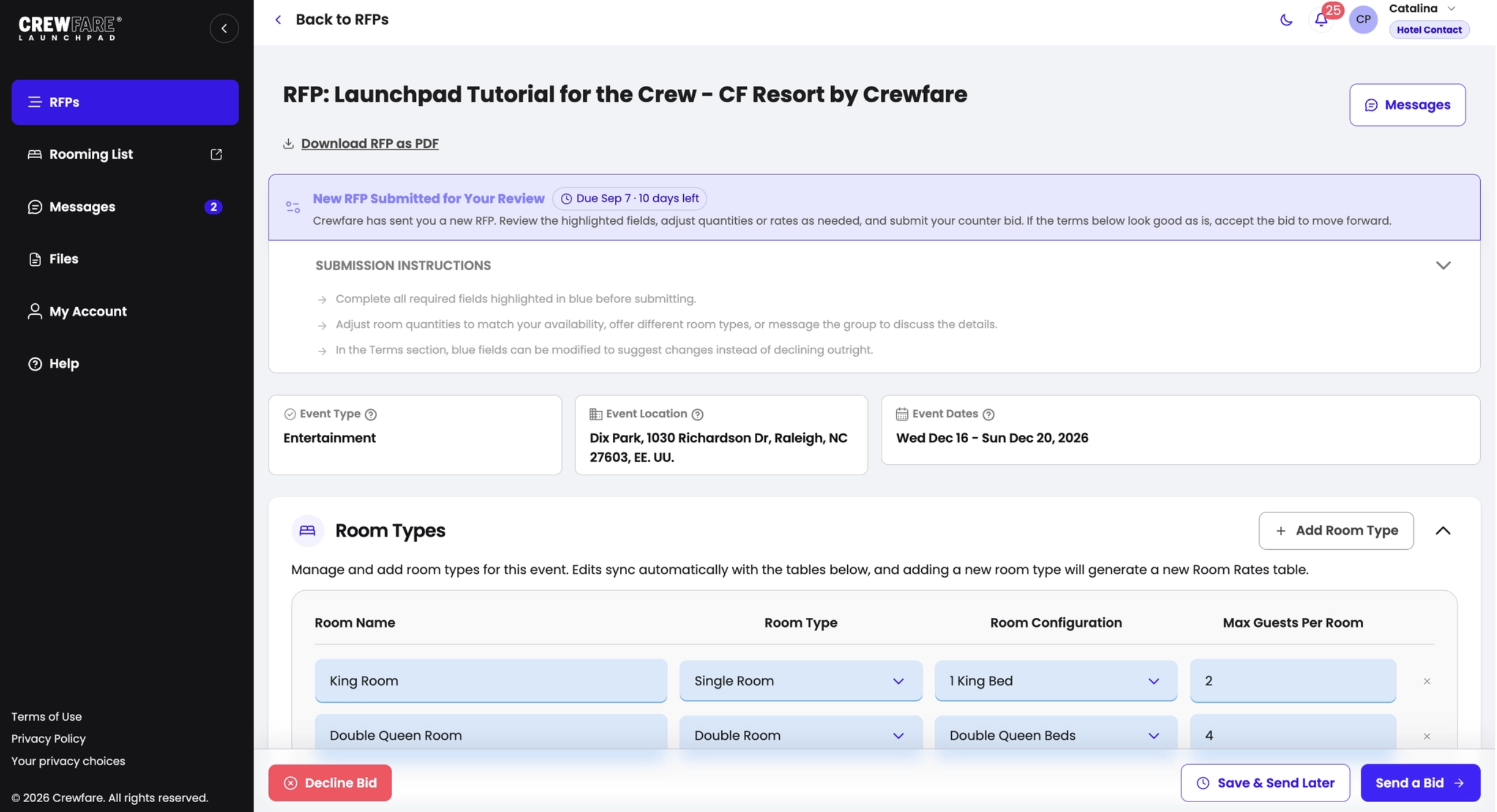
RFP DETAILS:
If you open an RFP, you will be able to see the following details:
- RFP Name: This is very important because if you forget the name of the RFP, it will be harder for you to find it.
- Hotel Name: The name of the property is the same as it was uploaded to our system.
- Venue: This is the address where the event will take place.
- Dates of the Event: This shows the dates when the event will take place.
Finally, throughout the RFP process, there is a drop-down menu and the ability to change any field
- Room type: This needs to be exactly what is shown on your hotel website. You can change the name, room type, configuration, hotel room occupancy, and additional person value. Note: The room type that you alter, will automatically be generated onto the "Room Rates" table
- Room Rate: You can easily adjust the room quantities you can accommodate amongst these dates, but please note it needs to be consistent throughout the stay.
- Value: Input the best-discounted rate you can offer for these dates.
- Comment: Anything you would like to note to the client, you are welcome to add a comment to communicate with the team.
- Terms: Use the drop-down menu to make changes and the comment section on each term to communicate with the opposite party on reasoning or anything you want to note.
NOTE: Any changes will be clearly shown in an orange color to the opposite party.
RFP STATUSES:
These are the different RFP statuses:
- Bid Opened: The RFP has been viewed.
- Counter from [Client Company]: A counteroffer was submitted.
- Accepted: The bid has been accepted.
- Signed by the Hotel: The contract is signed by the hotel.
- Signed by Both Sides: The contract is fully executed.
MESSAGE SECTION
Need to discuss a specific RFP term? Good news—no more 300 emails and endless back-and-forth! With our messaging system, you can negotiate directly with the event organizer until you reach an agreement. For example, want to adjust the commission percentage? Just update it and send a quick message like:
"Hello! As per our policies, the maximum commission permitted is 10%."
Easy-breezy—one sentence, problem solved! 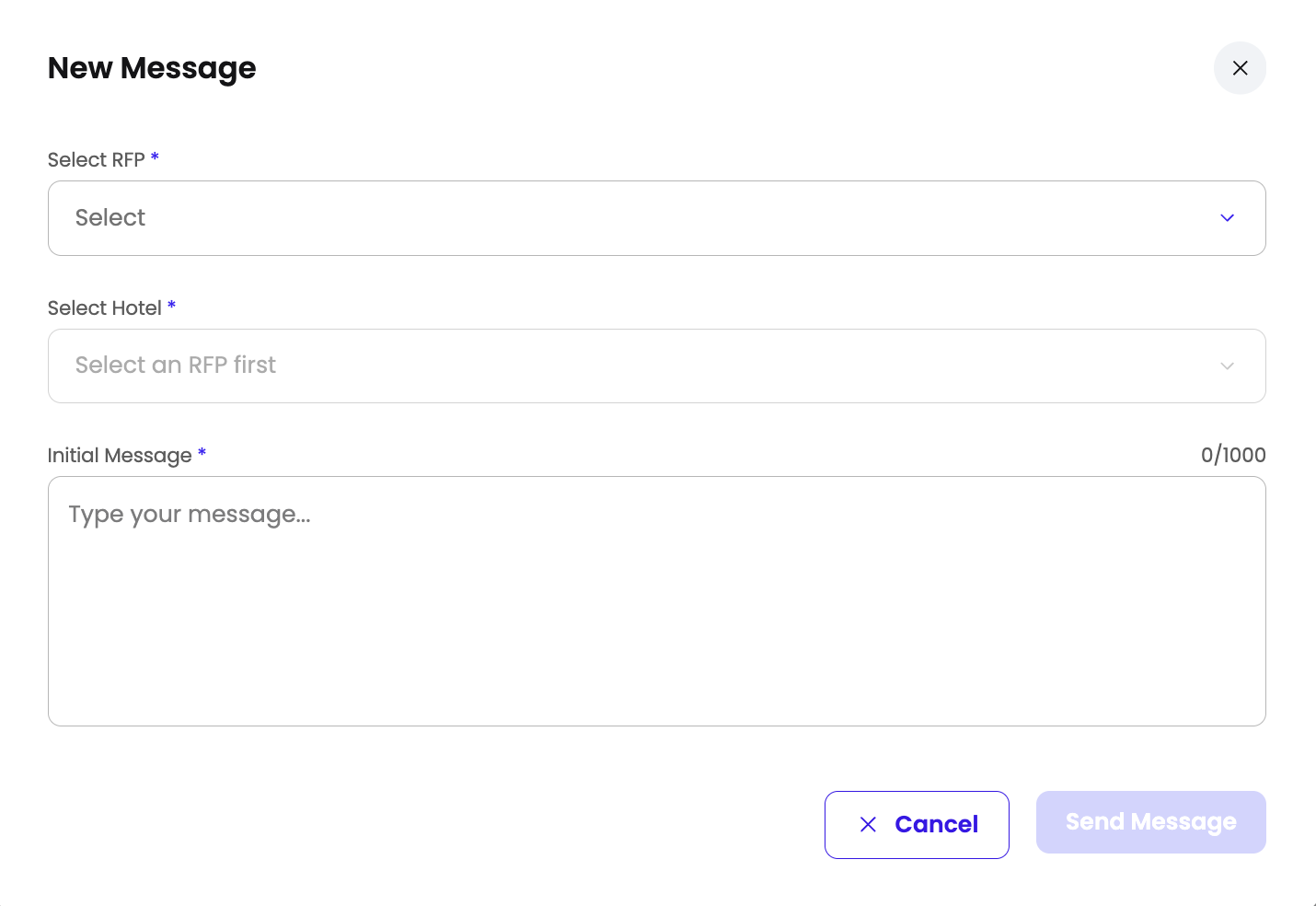
FILE SECTION
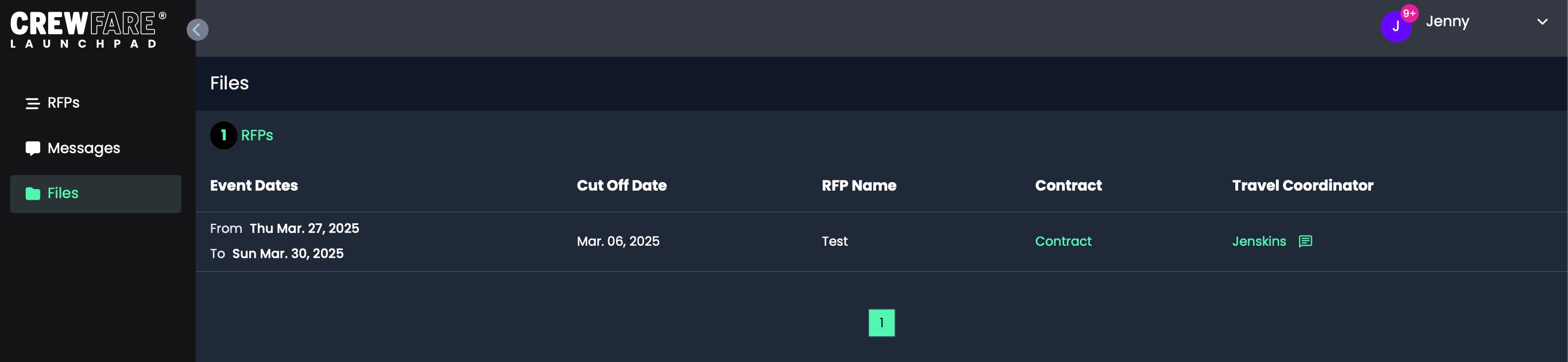
Here you will find your signed contracts! These are contracts that have been fully executed and signed by both parties. You will have the possibility to search, review, and download the documents from this section!
NOTE FROM THE EXPERTS:

Okay... We know it was long, sorry, but at this point, you are a Launchpad Expert already. We recommend you to take a look at the "Procedures" folder to know how to receive and negotiate RFPs!

If you have any questions! Drop us a line at launchpad@crewfare.com, we will get back to you ASAP!
Was this article helpful?
That’s Great!
Thank you for your feedback
Sorry! We couldn't be helpful
Thank you for your feedback
Feedback sent
We appreciate your effort and will try to fix the article