How to Add a Hotel to Crewfare Launchpad
Getting started with Launchpad is easy-breezy! Just follow these 4 steps:
- Sign up for your hotel through our form.
- Wait for the approval notification.
- Email us the names and emails of your team members.
- Start growing your business with Launchpad!
STEP 1:
The first thing you need to do is to register your hotel into Launchpad. If you are only registering 1 to 5 hotels, you can complete the registration form through our Hotel Registration Form.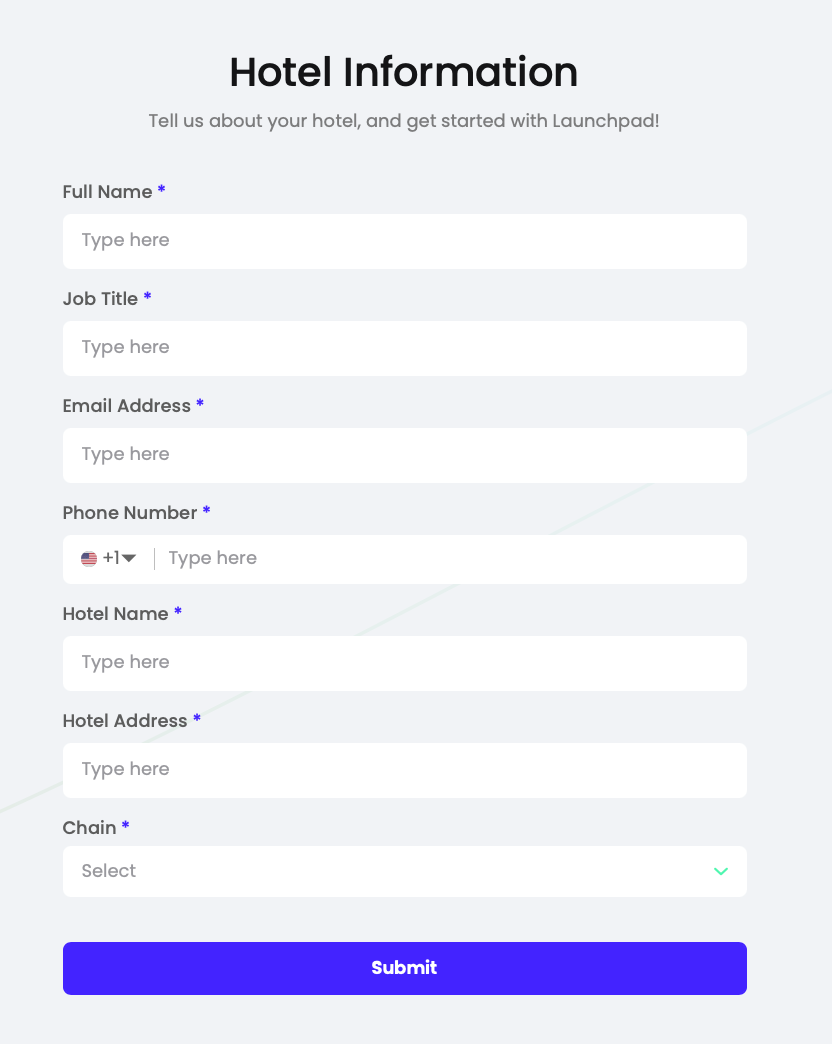
NOTE: If you want to register multiple properties across the world, feel free to send us an email to launchpadsupport@crewfare.com and our Crew will help you to bulk import all the different properties!
STEP 2:
Once you have registered the hotel, you will receive an approval notification from our team! Yay!
STEP 3:
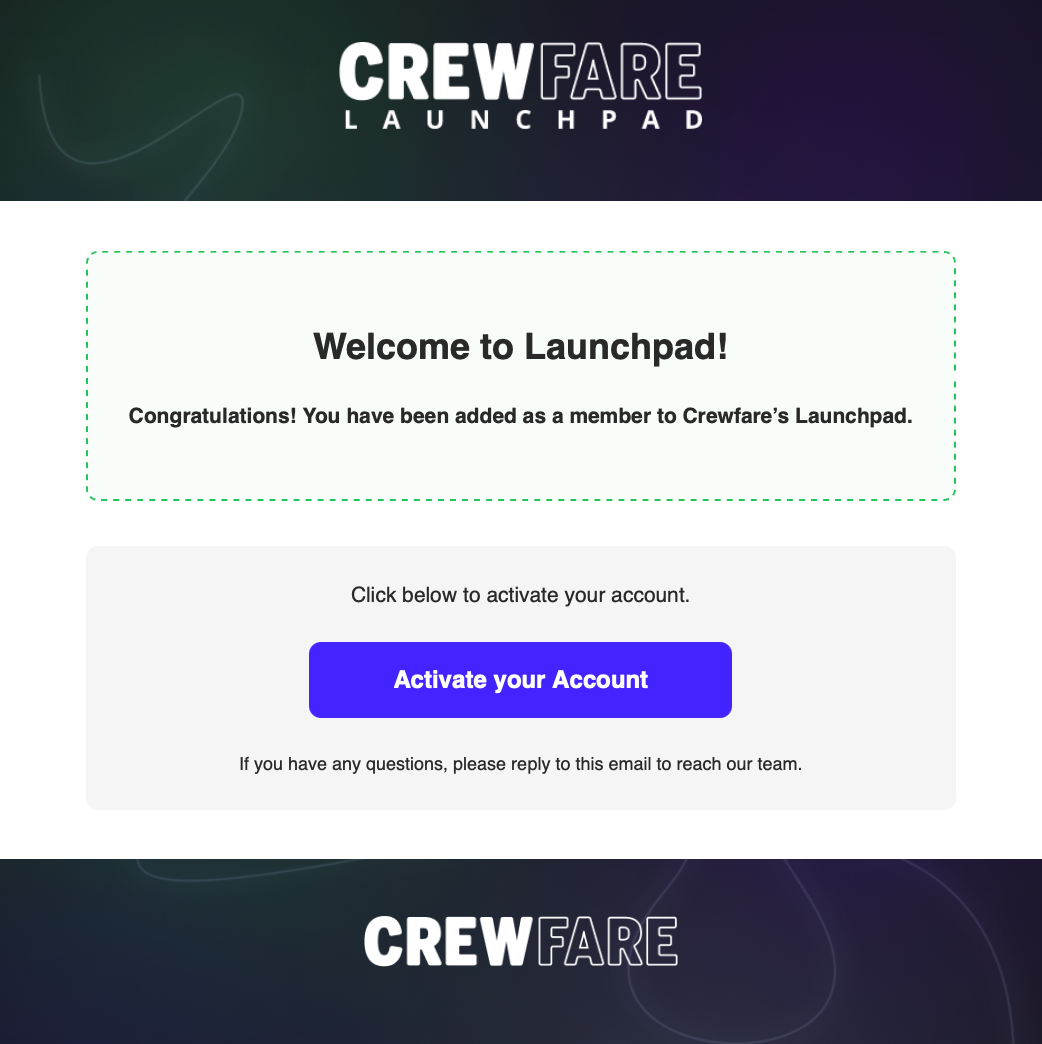
And after that, you will have to send us the names, and emails of your team! Each one of you will receive an invitation to join Launchpad via email, and it will look like this:
STEP 4:
You should click on "Activate your Account" and voila! You are all set!
Was this article helpful?
That’s Great!
Thank you for your feedback
Sorry! We couldn't be helpful
Thank you for your feedback
Feedback sent
We appreciate your effort and will try to fix the article