Step 1: Update and Complete the RFP
Once you have opened the RFP, you will be able to see the fields that can be modified. All the fields are either editable or drop-down menus.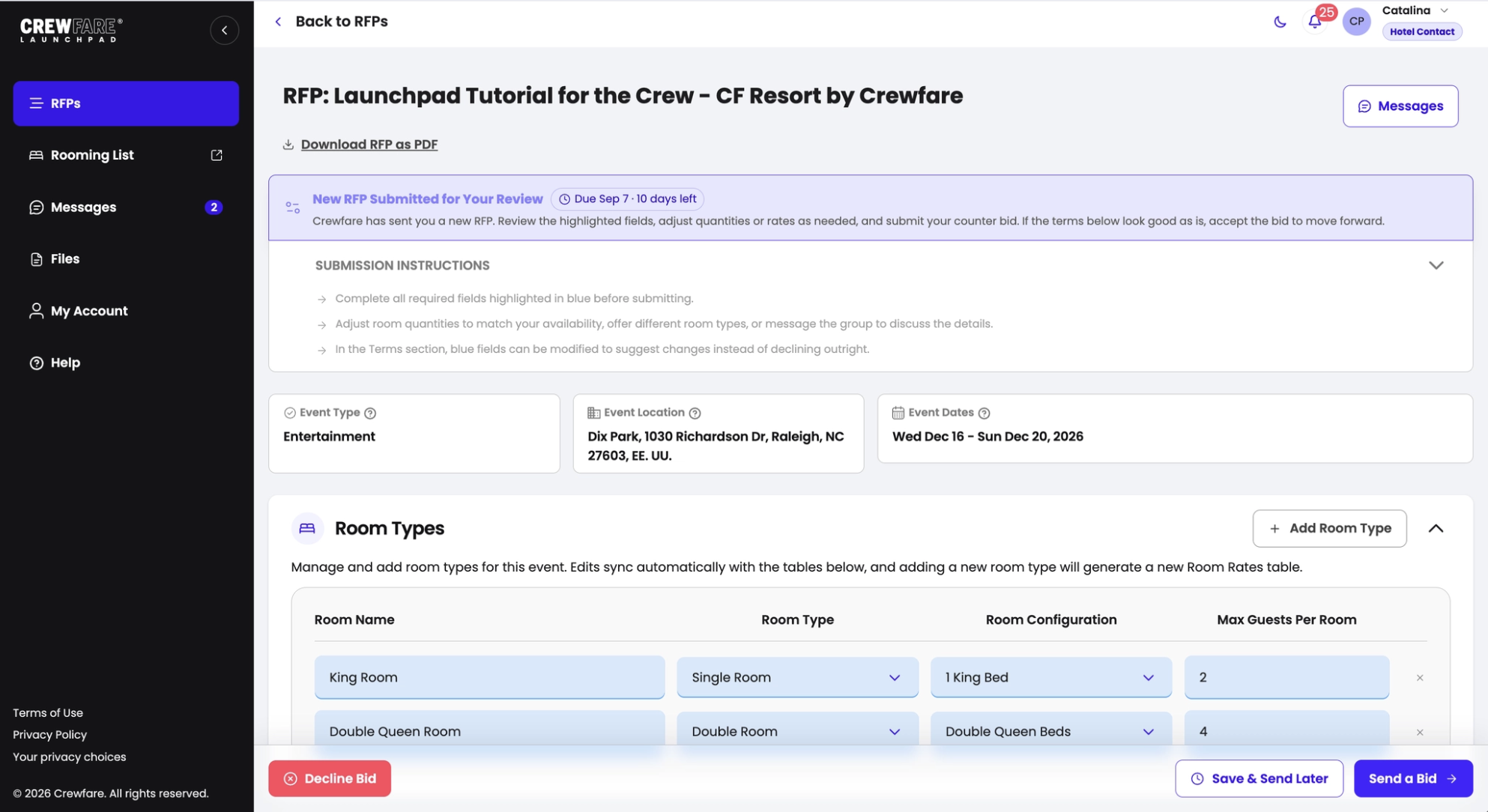
Room Types
If the required quantities requested on a specific room block are too large for your inventory or availability, please adjust them accordingly. In case you would like to offer more rooms, you are welcome to do so!
Room Rates
- Here’s where you’ll enter the per-night rate and datesbefore taxes and fees!
- When it comes to room quantities, consistency is key! If you have 5 rooms available on Thursday, March 27th, but only 2 on Friday, make sure to enter 2 for all the dates. This helps keep everything clear and avoids any mix-ups!
Concessions:
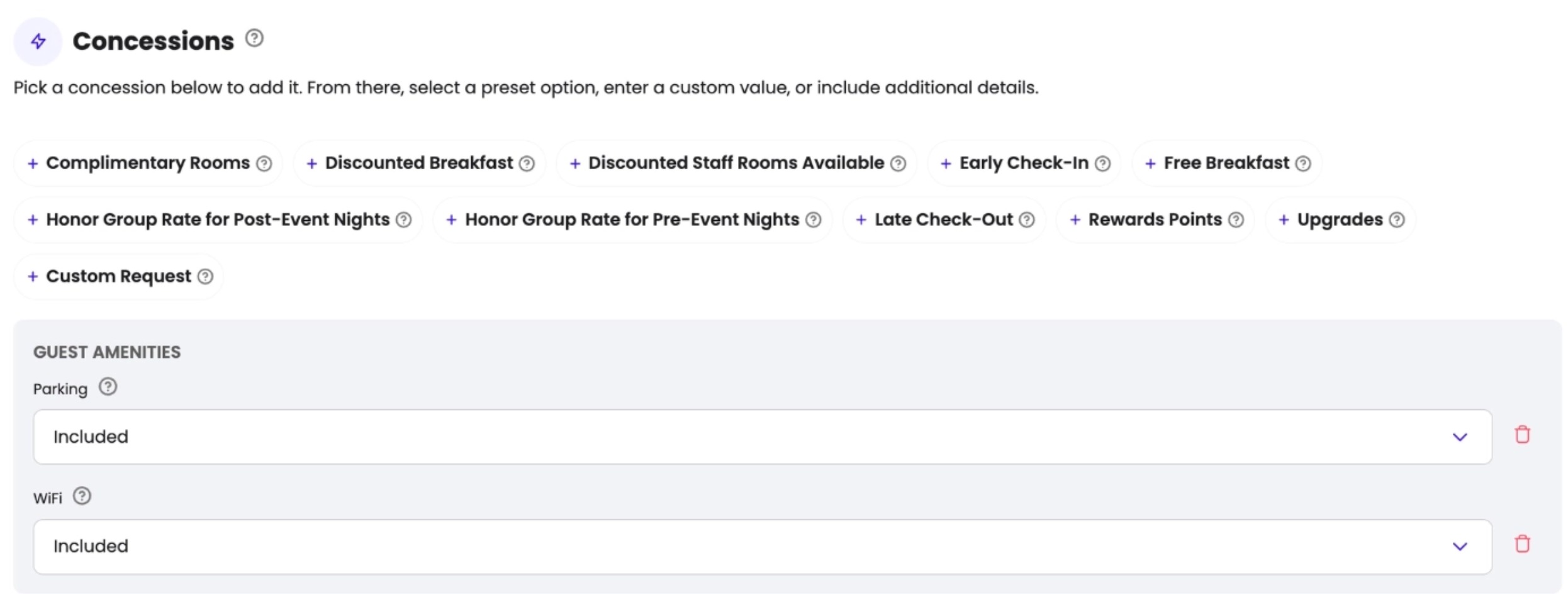
Parking, early check-in, late check-out, breakfast, upgrades, wifi and any custom requests that you want to enter. The concessions work in a drop down format, and you can work with existing options, remove them or create custom ones too:
Step 2: Decline, Save, or Send the RFP
Once you’ve reviewed the bid, you have a few options: you can decline it (for example, if you’re sold out on the requested dates), save it as a draft to send later, or submit the RFP to the other party. If you have any questions or would like to clarify details beforehand, you can also message the event directly before accepting or sending your bid.
? NOTE: Once you send it, the RFP will be visible for the other party to review and make changes. During this period, the RFP will be "BLOCKED" on your end, which means that you will not be able to make further adjustments. If you need help, contact us at launchpad@crewfare.com and our Crew will assist you!
Step 3: Counter Bid or Acceptance
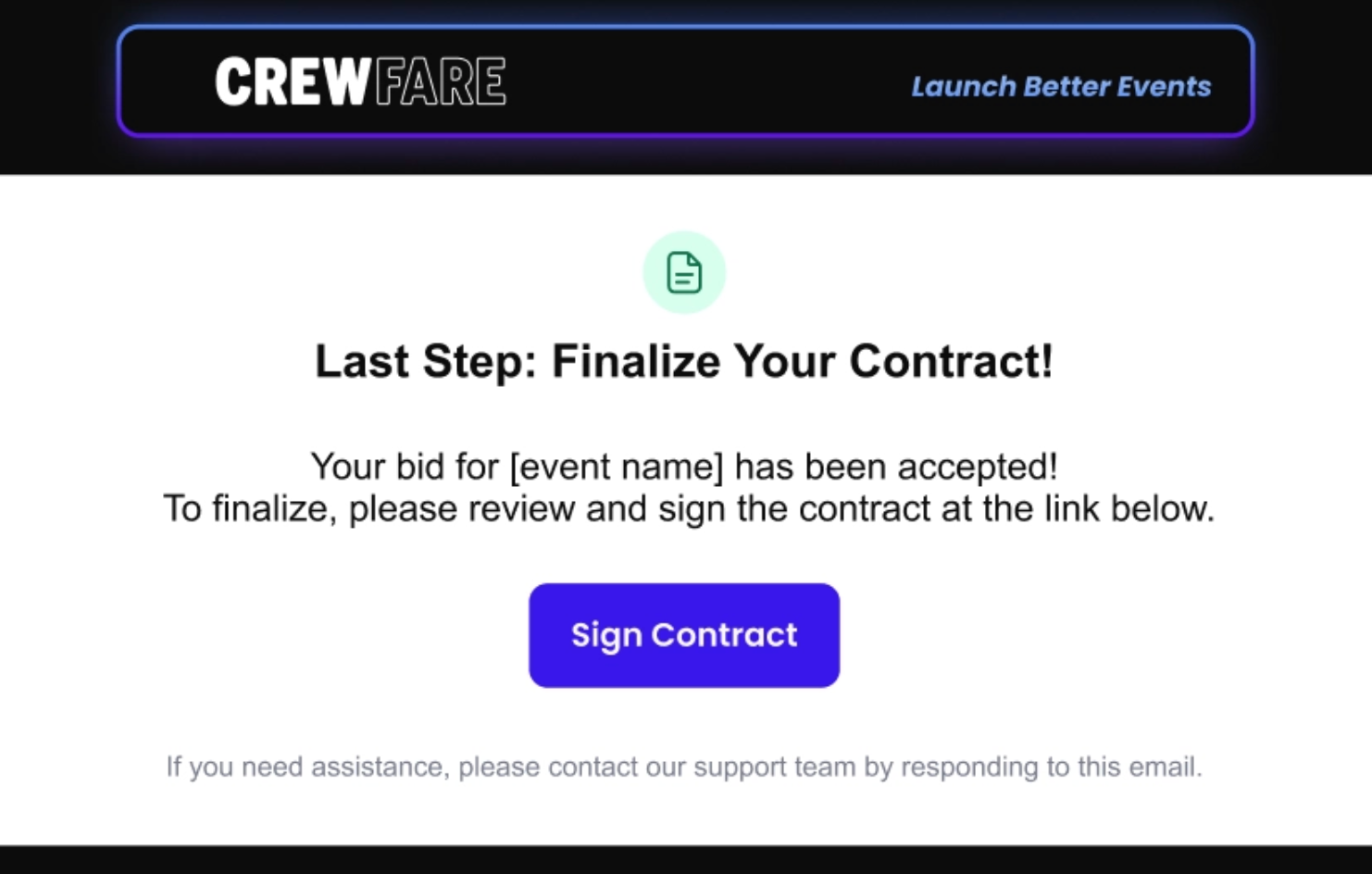
At this point, the other party can either accept the bid or counter-bid. In both cases, you will receive an email notification, and a notification through the platform.
Step 4: Generate and Sign the Contract
And voilà, you’re almost there! This is the final step to complete the RFP process. To wrap it all up, check out our article "STEP 3: Generate and Sign the Contract" to learn all the details about what happens next. We’ve got you covered every step of the way!
Was this article helpful?
That’s Great!
Thank you for your feedback
Sorry! We couldn't be helpful
Thank you for your feedback
Feedback sent
We appreciate your effort and will try to fix the article